
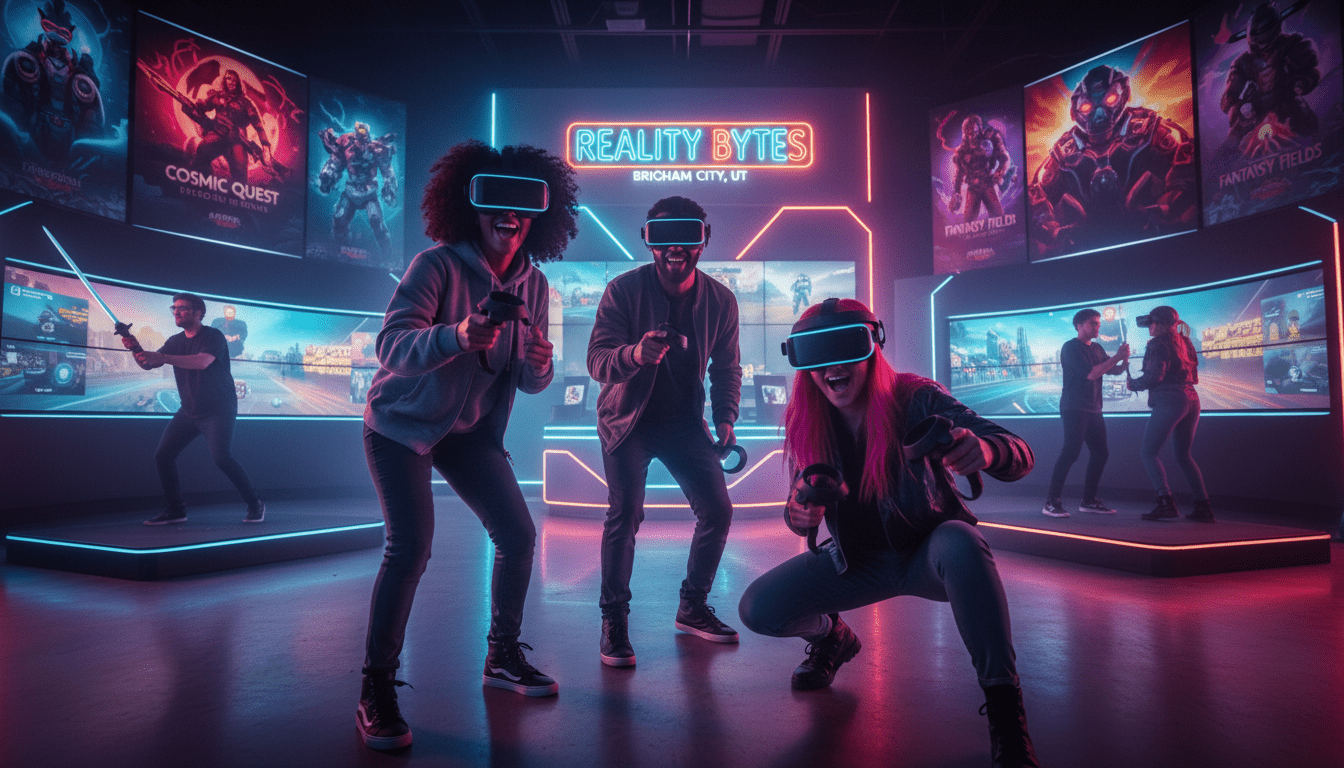
Reality Bytes VR Brigham City Utah is your local spot to play and book an immersive session. If you are comparing options and ready to reserve time, this guide gives a quick, confident overview of what to expect.

The visit feels fast and friendly. Staff greet you, explain the kit, and set up a clean, organized space so your session runs smoothly.
Visitors look for clear booking steps, safe play, and a memorable reality experience that tops standard screen play. Reality Bytes delivers a drop-in and play vibe for locals and visitors who want more than a routine night out.
This short guide previews game styles, group formats, party options, age notes, safety and space needs, and smart booking tips. The main goal is simple: fun, with practical details to help you plan comfort and timing.
Key Takeaways
- Reality Bytes VR Brigham City Utah is the local place to book and play.
- Expect friendly staff, tidy spaces, and smooth setup.
- Drop-in sessions suit quick visits and spontaneous plans.
- Guide covers games, groups, parties, safety, and booking tips.
- Primary outcome: a memorable, social, and fun experience.
Reality Bytes VR in Brigham City, Utah: A Local Immersive Gaming Experience
Step inside a hands-on play space where every player helps steer the action. At Reality Bytes VR Brigham City Utah, immersion means you’re not just watching—you’re physically part of the moment.
What makes the experience feel “interactive” and truly immersive
Immersive in plain terms: you’re inside the action, reacting in real time. The space responds to your moves and choices, so the scene changes as you do.
Interactive means movement, hand actions, and decisions change what happens next. Think of the controller as you and your crew—play is social and hands-on.
“The controller is you and your crew” — gameplay that rewards teamwork and quick choices.
- Shared energy: cheering, comparing scores, and swapping strategies make it a great group event.
- Quick to learn: many titles welcome new players with short tutorials so first-time users jump in fast.
- Comfort options: seated or standing modes and movement settings let everyone enjoy the session.
| Feature | Why it matters | Best for |
|---|---|---|
| Responsive environments | Makes the experience feel alive and immediate | Groups seeking active play |
| Social play | Encourages cheering and team strategy | Parties and small events |
| Adjustable comfort | Adapts motion to player needs | Families and mixed-age groups |
Next: the section ahead breaks down popular game styles and how to pick the right option for your goals.
VR Games Brigham City UT: Popular Game Styles, Challenges, and Ways to Play
Reality Bytes VR Brigham City Utah offers a clear mix of play styles so groups leave happy. Pick a mode that fits your group’s pace and motion comfort for the best experience.
Action and adventure for thrill-seekers
Fast, cinematic runs deliver adrenaline, quick reflexs, and dramatic set pieces. These titles suit active players who want physical movement and high energy.
Puzzle, exploration, and skill-based challenges
Slower exploration and brainy puzzles reward teamwork and clear communication. Skill-based challenges return value through replay, score chasing, and timed runs.
Multiplayer options for friends and teams
Multiplayer modes let friends cooperate or compete side-by-side. They are ideal for groups that want shared goals, leaderboards, or head-to-head showdowns.
How to pick the right way for your group
Staff at Reality Bytes tailor recommendations by group size, ages, and motion comfort. Short rounds work best for large groups; longer story modes suit small parties. Mix styles to keep momentum and include everyone.
| Category | What to expect | Best fit |
|---|---|---|
| Action / Adventure | High pace, cinematic moments, physical play | Active teens and adults |
| Puzzle / Exploration | Communication, problem-solving, calm play | Mixed-skill groups and families |
| Skill Challenges | Score-based replay, accuracy, timed runs | Competitive groups and repeat visitors |
“The best pick is the right match for your group’s vibe.”
Plan a VR Party or Event at Reality Bytes VR
Make your next celebration stand out with an interactive event that needs almost no setup from you. Reality Bytes VR Brigham City Utah handles details so hosts can enjoy the moment.

Birthday parties run smoothly with structured sessions, clear rotations, and staff support. Many hosts call it the easiest birthday party ever or the best birthday party EVER. No mess, no stress—just smiles.
Graduation and milestone events work as a high-energy highlight. Guests share stories, photos, and a memorable group activity that keeps energy up.
Corporate, small groups, and mixed ages
Team-building uses cooperative modes and light competition to boost communication. Small-group hangouts and date nights make for an unusual, social show that sparks conversation.
To keep different ages engaged, mix comfort-friendly options with active rounds. Rotate players, use spectator screens, and let staff adapt play to each age and comfort level.
“Staff extremely helpful and attentive” — testimonial from local hosts.
| Event Type | Primary Benefit | Best For |
|---|---|---|
| Birthday party | Structured play, low cleanup | Families and teens |
| Graduation / Milestone | High-energy shared story | Friends and family |
| Corporate team | Communication and friendly challenges | Small teams and groups |
Fun for All Ages: Who This Is Great For
Everyone from toddlers to grandparents can find a playful, comfortable experience here.
Reality Bytes VR Brigham City Utah fits kids, teens, adults, and whole families who want shared moments more than solitary high scores.
Choosing age-appropriate games and comfort settings
Start new players with simple, low-motion titles and short rounds. This helps first-timers feel safe and excited.
Move up to faster challenges only when guests feel ready. Staff can suggest titles that match each group’s comfort.
- Young kids: interactive, seated, or guided experiences (ages 3 and up).
- Teens and adults: higher-energy rounds and skill challenges.
- Mixed groups: tiered play so a birthday with siblings or cousins stays inclusive.
Comfort settings—reduced motion, teleport movement, and more breaks—help sensitive players stay part of the fun.
“Staff helped our group pick options so everyone actually enjoyed the session.”
| Age range | Suggested play | Why it works |
|---|---|---|
| 3–8 | Short, guided titles | Simple controls and low motion |
| 9–15 | Casual action & puzzles | Social, active, and replayable |
| 16+ | High-intensity challenges | Competitive and immersive |
Reality Bytes makes it easy to plan a family outing or birthday event that keeps everyone smiling. Staff guidance and flexible setups mean more people try the reality sessions and enjoy them together.
What to Expect During Your Visit: How a VR Session Typically Works
A smooth, step-by-step flow helps guests focus on the fun, not the tech. Staff greet you, confirm your reservation, and explain the plan so you know what to expect. This short intro eases first-timer nerves and gets everyone ready.
Staff support and keeping play running
Check-in and a brief safety talk come first. Staff fit headsets, demo controls, and pick a safe play area.
During play, team members help with quick resets and headset fit so your time is spent playing instead of troubleshooting.
Watching the action and group flow
A large TV screen shows the player’s view. That makes every round a mini show and helps the next person learn by watching.
For events, plan extra buffer time for rotations, photos, and short breaks so guests don’t feel rushed.
“Even with one player at a station, the whole group stays involved and energized.”
| Step | What happens | Best for |
|---|---|---|
| Arrival | Check-in and quick overview | All guests |
| Briefing | Safety, controls, fit check | First-timers and mixed groups |
| Play | Selected game modes with staff support | Small groups or events |
| Rotation | Short rounds or longer sessions by plan | Large parties or intimate groups |
Space, Safety, and Setup Requirements for VR Play
A carefully arranged room is the best way to protect players and improve tracking. Proper layout and utilities make an event run smoothly and keep guests comfortable.

Recommended open play areas and movement-friendly layouts
Plan for at least a 5′ x 5′ clear area per station for basic play. A 10′ x 10′ footprint is typical and gives more room to move.
For arena-style or high-movement titles, set aside a 12′ x 12′ minimum. A 15′ x 15′ area is best when lots of motion is expected.
Indoor vs. outdoor considerations and lighting needs
Indoor setups are the simplest and most reliable. Outdoor use is only recommended after sunset or under a canopy to avoid direct sunlight that can disrupt headsets.
Use consistent, non-glare lighting to help tracking and reduce interruptions during a long session.
Power and Wi‑Fi needs for certain multiplayer experiences
Each station requires a standard 120V outlet. High-speed Wi‑Fi improves multiplayer stability and prevents lag during team play.
Tidy cable management and clear signage keep the play area safe and easy to navigate. These steps improve the overall reality experience for everyone.
“Clear space and reliable utilities are the easiest way to keep an event safe, smooth, and fun.”
| Item | Requirement | Why it matters |
|---|---|---|
| Play area per station | 5′ x 5′ (min) — 10′ x 10′ typical | Safety, tracking accuracy, player comfort |
| Arena movement | 12′ x 12′ (min) — 15′ x 15′ recommended | Freedom of motion and immersive play |
| Outdoor & lighting | After sunset or under canopy; non-glare lights | Prevents headset tracking issues and glare |
| Utilities | 120V outlet; high-speed Wi‑Fi for multiplayer | Power for gear and stable online connections |
Group Size and Gameplay Formats: Solo Turns, Multiplayer, and Rotation Tips
Group play runs smoothly when formats are clear and rotations are planned in advance. Reality Bytes VR Brigham City Utah is easy to plan for groups, with staff who confirm how many can play at once and which setups work best.
How many people can play and how groups rotate
Common formats include solo turns (one player per station) and multiplayer sessions that support up to six players depending on the setup. Multiple stations increase throughput and cut wait time.
For a quick party or event, run short rounds and keep the next player “on deck.” Use a visible queue or a simple list so guests rotate without fuss.
Making it a team activity with shared goals
Turn play into a team challenge by assigning roles, tracking scores, or running mini-tournaments. While one person plays, others watch the screen, coach, and cheer—then swap.
- Confirm co-op or competitive modes before booking.
- Use leaderboards and timed missions to raise stakes.
- Estimate time per turn so every guest gets a fair number of plays.
“Short rounds and clear roles keep friends and coworkers engaged.”
For planning help and to reserve a slot, visit Reality Bytes scheduling.
Booking Reality Bytes VR in Brigham City: Availability, Scheduling, and Event Planning Tips
A well-planned reservation means more playtime and less wait for your guests. Use this quick checklist to request a quote or book online so the staff can confirm the best setup fast.
What to share when requesting a quote or reserving time
When you contact Reality Bytes VR Brigham City Utah, include:
- Event date and preferred time window.
- Estimated guest count and ages.
- Preferred game styles and co-op vs. competitive play.
- Any accessibility or comfort needs.
Planning the right length of time for your party or group
Smaller groups can enjoy longer rounds and deeper story modes. Larger parties need extra time for rotations and photos.
| Group size | Suggested booking | Why |
|---|---|---|
| Up to 6 guests | 60–90 minutes | Deeper play, fewer switches |
| 7–15 guests | 90–120 minutes | Short rounds + rotations |
| 15+ guests | 2+ hours or split sessions | Manageable rotations and breaks |
Gift options and add-ons to make it a bigger “show”
Consider gift cards, bundled sessions, or add-ons like spectator screens, themed playlists, simple tournament brackets, and group photos between rounds. These extras turn a booking into a memorable show.
Check availability early for peak weekends and popular celebration dates; book online or call to lock your time.
Conclusion
A successful outing begins with a clear plan for pace, player roles, and comfort options.
Pick the right play style, decide how your group will rotate, and confirm space and comfort needs so everyone feels safe and included.
Use the booking tips to choose session length and lineups that keep momentum and give every guest a turn.
Reality Bytes VR Brigham City Utah makes planning easy and hosts a memorable local event, whether it’s a casual meet-up or a planned celebration.
Check availability, ask questions, and reserve your preferred date and time to lock in the experience for your group.